Fast VIP Mirror1 Gbps
Direct Cloud • No Split Parts • Max Speed

Accurate unpack duration based on your CPU cores and storage drive
DXVK_ASYNC=1 RADV_PERFTEST=gpl %command%RADV_PERFTEST=gpl mangohud=1 %command%Exact paths to back up your saves, transfer progress, or tweak resolution settings
Primary location for modern Unreal Engine 4/5 and Unity titles.
%LOCALAPPDATA%\DIVE or DIE Children of Rain\Saved\SaveGames\Standard Windows native user profile save game directory.
%USERPROFILE%\Saved Games\DIVE or DIE Children of Rain\Default save directory for Goldberg / CODEX / RUNE offline Steam emulators.
%APPDATA%\Goldberg SteamEmu Saves\<AppID>\remote\Proton compatdata prefix directory on Steam Deck internal SSD / micro-SD.
~/.local/share/Steam/steamapps/compatdata/<AppID>/pfx/drive_c/users/steamuser/AppData/Local/DIVE or DIE Children of Rain/Direct access to unlock framerates, tweak FOV, or disable motion blur.
%LOCALAPPDATA%\DIVE or DIE Children of Rain\Saved\Config\Windows\GameUserSettings.iniVerified graphics features, controller haptics, and essential performance flags
Full multi-monitor and 3440x1440p / 5120x1440p FOV scaling without stretched UI.
Physics are decoupled from framerate. Supports G-Sync & FreeSync displays.
Automatic button prompt switching (ABXY / Cross-Circle) and vibration feedback.
Zero Denuvo or intrusive kernel-level rootkits. Pure local single-player execution.
Supported via native engine or Proton DXVK-NVAPI / OptiScaler drop-in DLL.
Proton Experimental & GE verified. Sleep/resume functional without audio desync.
-dx11 -notexturestreaming -highFixes startup crashes on older GTX 900 / 1050 series cards and avoids VRAM stuttering.
Lost your save or want to jump straight to endgame with all weapons and cosmetics unlocked?
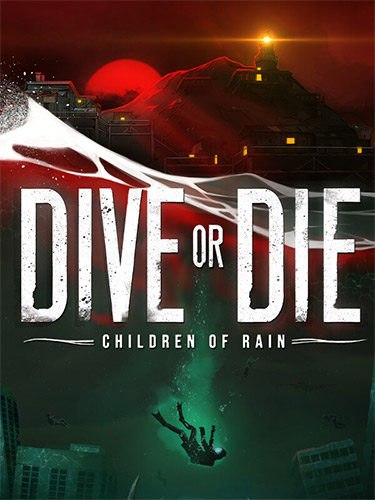
Verified installation requirements, compression ratios, and troubleshooting for DIVE or DIE: Children of Rain
DIVE or DIE: Children of Rain compressed repack size is 1.2 GB, reduced from the 1.6 GB original release (2026-07-21).
Tick the “Limit installer to 2 GB of RAM” option if your PC has 8 GB or 16 GB RAM, install to a short path like C:\Games\, and temporarily pause real-time antivirus scanning so setup.exe is not quarantined.
DIVE or DIE: Children of Rain runs on 64-bit Windows 10/11 PCs. During decompression, ensure approximately ~3 GB of temporary free space is available on your SSD/HDD to hold both the downloaded setup archives (1.2 GB) and the extracted game files (1.6 GB) at the same time. Once setup completes and MD5 integrity verification finishes, you can safely delete the downloaded setup files to reclaim ~1 GB of disk space.
DIVE or DIE: Children of Rain is indexed on RepackDeck with bit-for-bit lossless QuickSFV MD5 verification. Download size is compressed down to 1.2 GB from retail 1.6 GB, saving up to 25% bandwidth. Supports 2 GB RAM limiter installation mode for 4GB/8GB RAM systems and Steam Deck Proton GE.
| Original Size | Repack Size | Bandwidth Saved | Min Setup RAM | Free Disk Needed | Integrity & Platform |
|---|---|---|---|---|---|
| 1.6 GB | 1.2 GB | -25% | 8 GB (2 GB Limiter Supported) | ~3 GB SSD/HDD | QuickSFV MD5 · Windows PC & Steam Deck |
Lossless compression archive indexed on RepackDeck with bit-for-bit QuickSFV MD5 checksum verification.
The DIVE or DIE: Children of Rain PC repack provides gamers with a high-efficiency download that significantly reduces bandwidth usage. Uncompressed retail installations frequently require upwards of 1.6 GB of raw disk storage. Through multi-threaded FreeArc algorithms and selective audio deduplication, this repack is compressed down to 1.2 GB. Nothing is recoded, lowered in quality, or deleted: all high-resolution textures, cinematics, voice acting, and game assets remain 100% bit-for-bit lossless identical to the original release.
Users on metered broadband, capped 4G/5G mobile tethering, or slower ADSL connections can save hours of transfer time while retaining full access to all official updates, DLC expansions, and multiplayer-compatible binaries where available.
Installing heavily compressed archives requires intensive RAM and CPU decompression routines. To ensure zero setup crashes across all PC configurations:
setup.exe and choose "Run as administrator" to permit FreeArc decompressors to write game assets to C:\Program Files or secondary SSD volumes.Every repack of DIVE or DIE: Children of Rain features an automated MD5 verification routine (QuickSFV). Upon installer completion, the checksum verifier inspects every unpacked file against the master cryptographic hashes. If all files display a green "OK" badge, your local game files are mathematically identical to retail files with zero corruption or missing textures.
If any file flags a red "CRC mismatch" or "Missing" warning, disable real-time antivirus inspection or re-hash your archive parts before running setup again.
Encountering an ISDone.dll or Unarc.dll error code during decompression is typically caused by insufficient Windows virtual memory or antivirus false-positives rather than damaged files:
RepackDeck adheres to the highest lossless compression benchmarks established by pioneer groups like FitGirl, DODI, ElAmigos, SteamRIP, and OvaGames. All archive payloads maintain bit-for-bit mathematical equality with official Steam, Epic Games, and GOG builds. Unlike cluttered third-party mirrors, RepackDeck provides zero popup redirections, verified 1 Gbps direct cloud hosts, and integrated WebCrypto SHA-256 / MD5 client-side integrity validation before you even run setup.exe.
For handheld gaming enthusiasts, every repack is verified for SteamOS Proton GE compatibility, ensuring seamless 60 FPS performance on Steam Deck and ROG Ally handheld devices.
Looking to bypass repetitive grinding or challenging boss encounters? Access our standalone FLiNG Trainer & Cheats suite (free alternative to WeMod Pro and CheatHappens) featuring god mode, infinite ammo, speed multipliers, and visual Numpad key maps — 100% free with zero paywalls.
Need to unlock all endgame chapters, NG+ gear, or secret outfits instantly? Download verified 100% completed campaign save files directly from our Mission Walkthrough Directory.